Camp Tickets

How to Register

RSC 2026 uses a ticket lottery. Tickets will be available from September 5 through September 25, 2026. The draw will take place on September 26, 2026.

View Camp Ledger

Before You Start

One avatar, one lottery ticket.

Use the avatar you want registered for camp. The ticket gets you entered into the draw. It does not guarantee a camp spot unless it is later drawn or you win a Golden Ticket.

Our lottery system is built for fairness. Each avatar can receive one ticket, staff sees ticket numbers instead of avatar names during the draw, and confirmed names are revealed only after the draw is complete.

Step 01

Click the RSC ticket kiosk in Second Life.

When ticket registration is open, touch the RSC 2026 Ticket Kiosk. The kiosk checks the carnival ledger to see whether your avatar has already received a ticket.

Second Life ticket kiosk for Richmond Survival Camp
Touch the kiosk once and wait for the ledger response.
Step 02

Open the rules acknowledgement link.

If you have not completed the acknowledgement yet, Second Life will show a website link. Open it in your browser, then keep Second Life nearby so you can return to the kiosk after submitting.

Second Life prompt with the registration acknowledgement link
The link is unique to your avatar.
Step 03

Answer the short acknowledgement.

The form confirms that you understand the camp rules, the camper code of conduct, and the Second Life Terms of Service expectations for RSC. Your avatar name is handled by the kiosk, so you do not need to type it manually.

RSC registration rules acknowledgement questions
Read carefully and answer honestly.
Step 04

Submit the acknowledgement.

When you reach the end of the form, submit your acknowledgement. This records that your avatar understands the rules if your ticket is later drawn and you become eligible for a camp spot.

Submit button on the RSC acknowledgement form
Submit the form before returning to the kiosk.
Step 05

Return to Second Life.

After the acknowledgement is accepted, the website will tell you to go back inworld. Return to the RSC ticket kiosk and click it again with the same avatar.

RSC acknowledgement complete message telling the player to return inworld
The kiosk will check that your acknowledgement is complete.
Step 06

Accept the ticket object.

The kiosk gives you an object named RSC 2026 Lottery Ticket (rez or wear me). Accept it into your inventory. If Second Life asks whether you want to keep the item, choose to keep it.

RSC lottery ticket object appearing in Second Life inventory
The ticket object will appear in your inventory.
Step 07

Rez or wear your ticket and activate it.

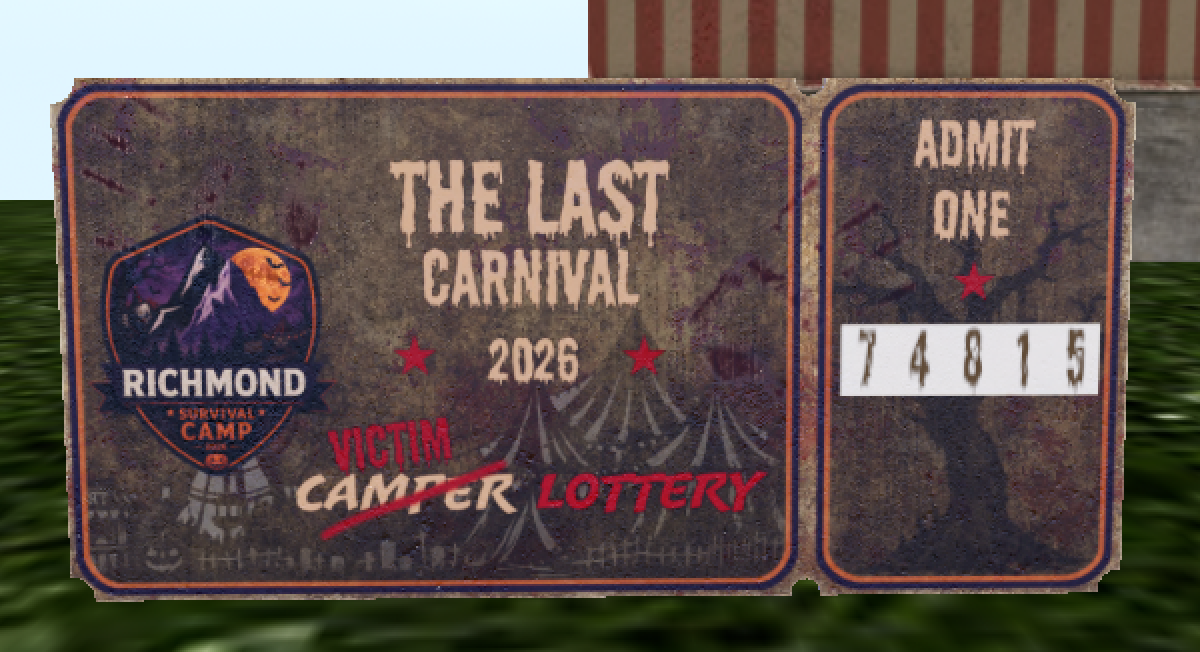
Rez the ticket on the ground or wear it as a HUD, then touch it. The ticket will activate your unique lottery number and display it on the ticket. Keep your ticket copy safe because it is your proof if that number is drawn.

RSC lottery ticket rezzed in Second Life and ready to click
Rez or wear the ticket, click it, and wait for your number.
Important

Getting a lottery ticket enters you into the registration draw. On draw day, wearing the ticket as a HUD is recommended so you do not need to rez it on the ground. Confirmed campers will appear on the Camp Ledger after tickets are drawn and claimed.

Open Camp Ledger